
MEGA S4 Object Storage Setup Guide
Plan snapshot
MEGA S4
- Free storage / trial
- Requires a MEGA Pro/Flexi-style account; not a standalone permanent free S3 tier.
- Separate limits
- S4 storage and transfer follow the attached MEGA object-storage subscription terms.
- Billing trigger
- Paid MEGA subscription required before S3 credentials are useful.
- Best fit
- S3-compatible object storage for users already committed to MEGA plans.
Checked 2026-05-13: MEGA S4 announcement
This guide explains how to configure MEGA S4 access for use with AeroFTP. MEGA S4 is an S3-compatible object storage service that requires a MEGA Pro account or higher.
Follow the steps in this order to correctly configure your environment.
1. Access S4 Settings
- Log in to your MEGA account via browser.
- Go to Settings (gear icon in the top right or via the profile menu).
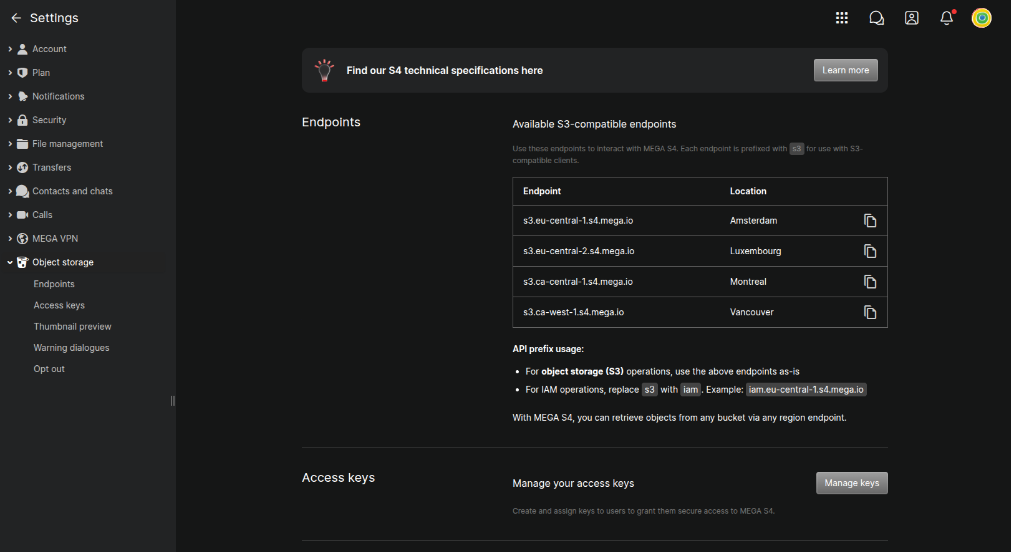
- In the left sidebar, expand the Object storage section and click on Endpoints.
Here you will find the list of available Endpoints (e.g., s3.eu-central-1.s4.mega.io). Take note of the endpoint closest to your geographical location; you will need it for configuration.
2. Create a Bucket
The first operational step is to create the container (bucket) where your files will be saved.
- Remaining in the Object storage section, ensure you are in the main view or click on the folder/bucket icon (Drive -> Object storage).
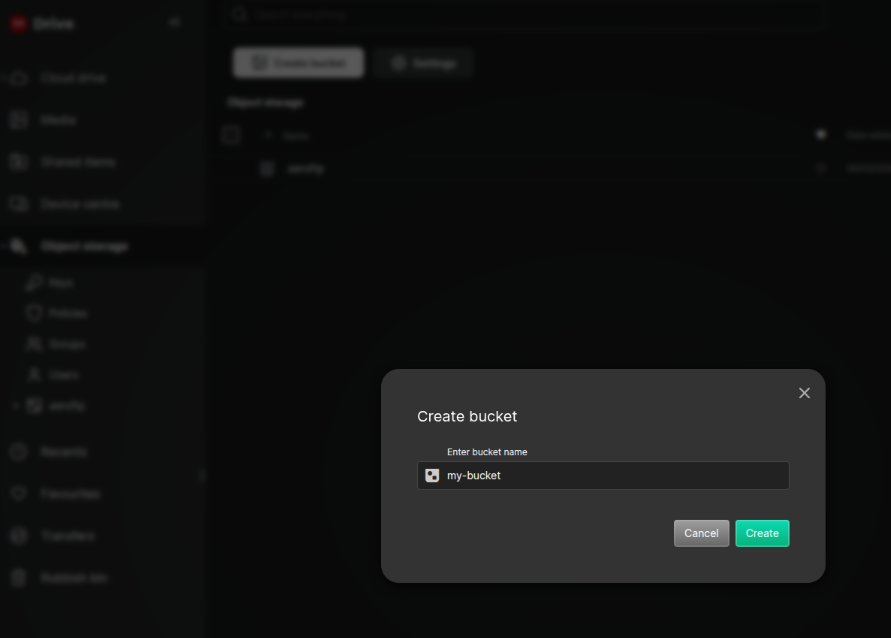
- Click the Create bucket button.
- Enter a name for the bucket (e.g.,
my-bucket). Choose an identifying name for your project. - Click Create to confirm.
3. Create Access Keys
Now that you have a bucket ready, you need to generate security keys to allow AeroFTP to connect to your MEGA S4 account.
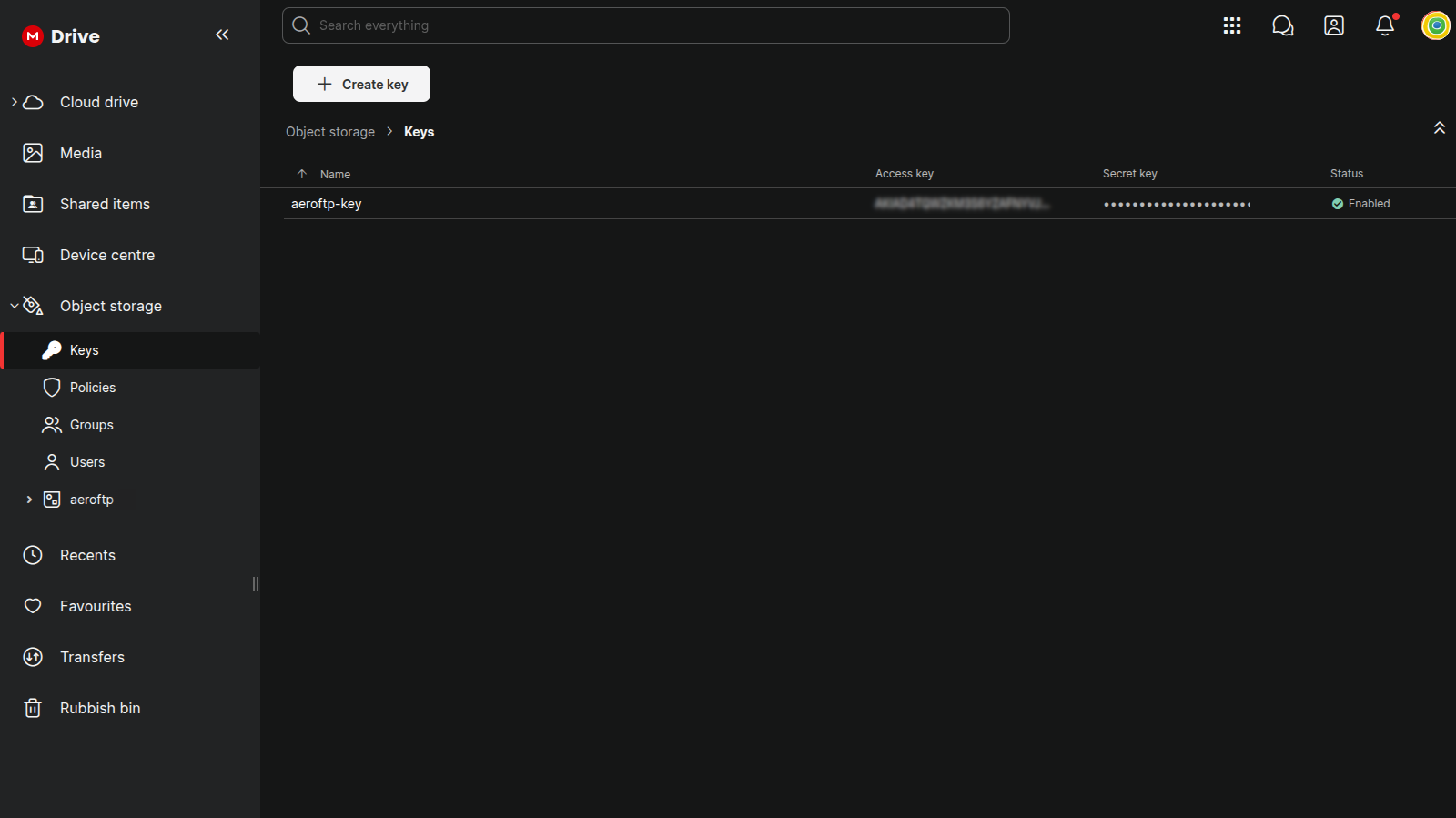
- Return to Settings > Object storage and click on Access keys in the submenu.
- Click the Manage keys button to access the management screen.
- In the top left, click + Create key.
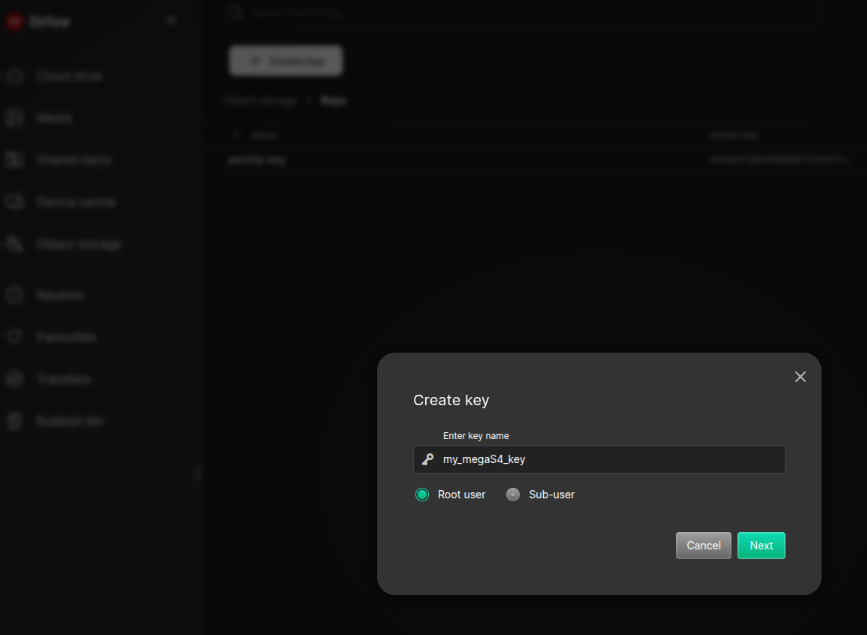
- Enter a descriptive name for the key (e.g.,
my_megaS4_key). - Select Root user to ensure the key has access to the bucket you just created.
- Click Next.
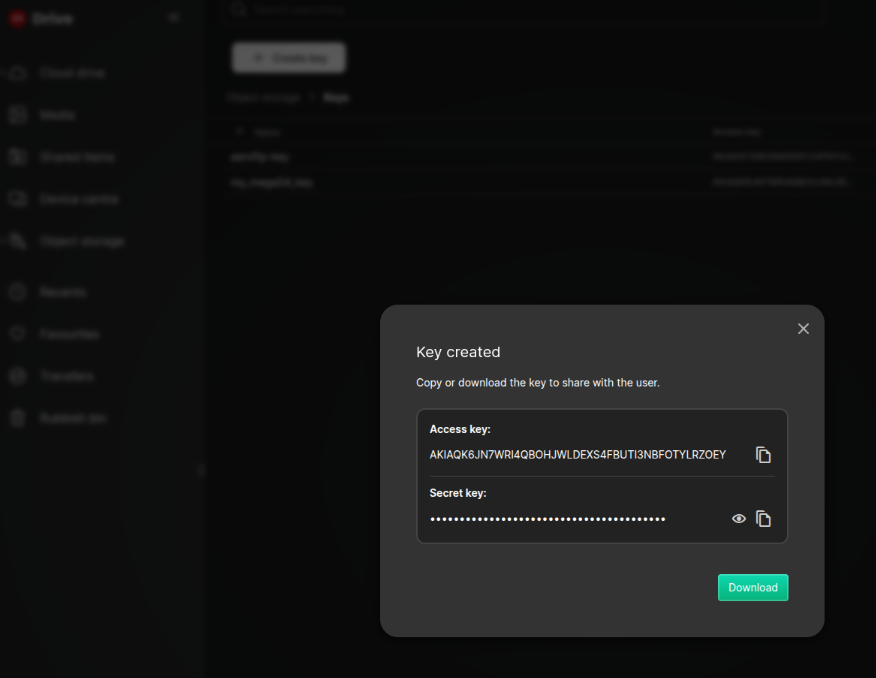
- IMPORTANT: At this point, the Access key and Secret key will be generated and displayed.
- Copy both codes securely.
- The Secret key will never be shown again for security reasons. You can click Download to save a file containing the credentials.
- Once you have saved the credentials, close the window.
4. Configuration in AeroFTP
Now you have all the necessary parameters to configure the connection in AeroFTP. Create a new profile and fill in the fields as follows:
- Protocol: S3 (S3 Compatible)
- Endpoint: The URL noted in step 1 (e.g.,
s3.eu-central-1.s4.mega.io) - Access Key: The key generated in step 3.
- Secret Key: The secret key generated in step 3.
- Region: You can leave this empty or enter the region portion of the endpoint (e.g.,
eu-central-1). - Bucket: The name of the bucket created in step 2 (e.g.,
my-bucket).
Features
- S3-compatible: Full S3 API support for standard object operations.
- High Performance: Optimized for massive transfers with zero-knowledge encryption.
- Server-side copy: Move and copy files without downloading.
Related Documentation
TIP
MEGA S4 is a premium service. Ensure your subscription is active to avoid connection errors. Always keep your Secret Key in a safe place!